

In short, the answer is no, AI will not replace UX designers. However, AI is already changing the pace, expectations, and value of UX work. In a world where polished options appear in seconds, the real advantage lies with designers who know what to choose, refine, and turn into the right decision.
That’s why the conversation around AI and UX often feels louder than it is clear. Some see AI as the end of the profession, while others treat it as a shortcut from prompt to finished product. The reality sits somewhere more practical: AI is changing the workflow before it changes the role. It speeds up design, but it also makes weak thinking easier to spot.
So instead of asking whether UX designers are disappearing, this article looks at what AI is actually changing, where human judgment still matters, and which kinds of designers become more valuable when AI is already part of the process.
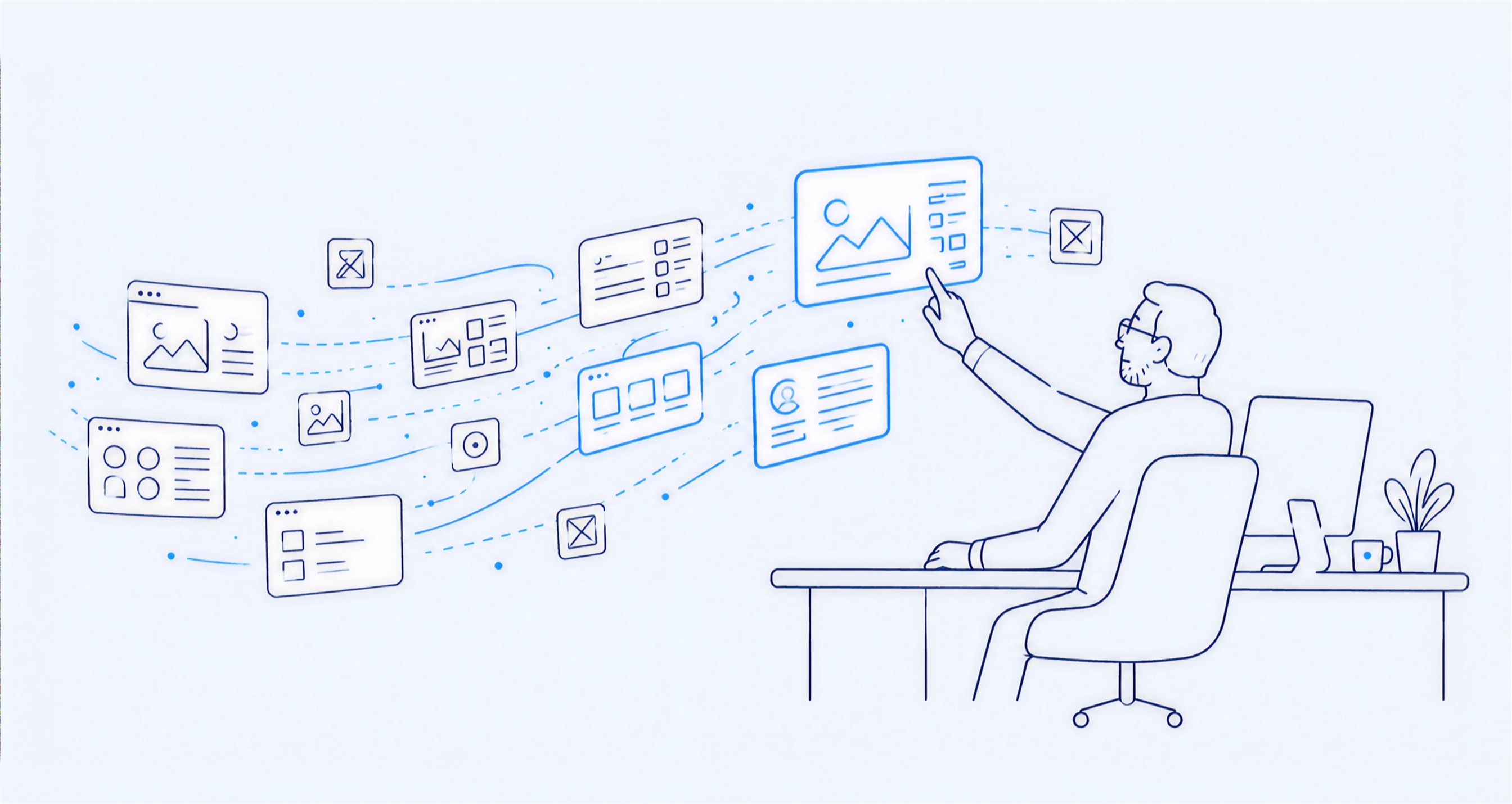
Why the panic, and why it’s overblown
Every few years, a new tool seems to signal the demise of designers. This has happened with templates, website builders, and no-code platforms. Each time, part of the production process became faster or easier, and the role of the designer evolved.
AI feels like a bigger shift, which is why there is more anxiety around it. AI can generate options, drafts, and variations at a speed that changes the pace of design work. However, the pattern remains familiar: tools absorb part of the execution while the value of the role shifts toward judgment. The job does not disappear. Instead, it becomes more concentrated around the decisions that machines cannot make well.
What AI actually does well in UX
Used inside a real workflow, AI becomes a serious multiplier for the work around the decision. While it does not replace the designer’s judgment, it can eliminate much of the slow, repetitive work that typically precedes a strong decision:
- Research synthesis. AI can process interviews, support tickets, survey responses, and analytics much faster, helping designers spot patterns without spending days on manual sorting.
- Exploration. It can generate multiple flows, layouts, and concepts quickly, giving teams a wider range of directions before they commit to one.
- Production. It can draft repetitive screens, interface states, and UI copy, filling in the variations that often consume hours or days.
- Documentation and systems. It can help keep design-system notes, specs, and component documentation updated as the product grows.
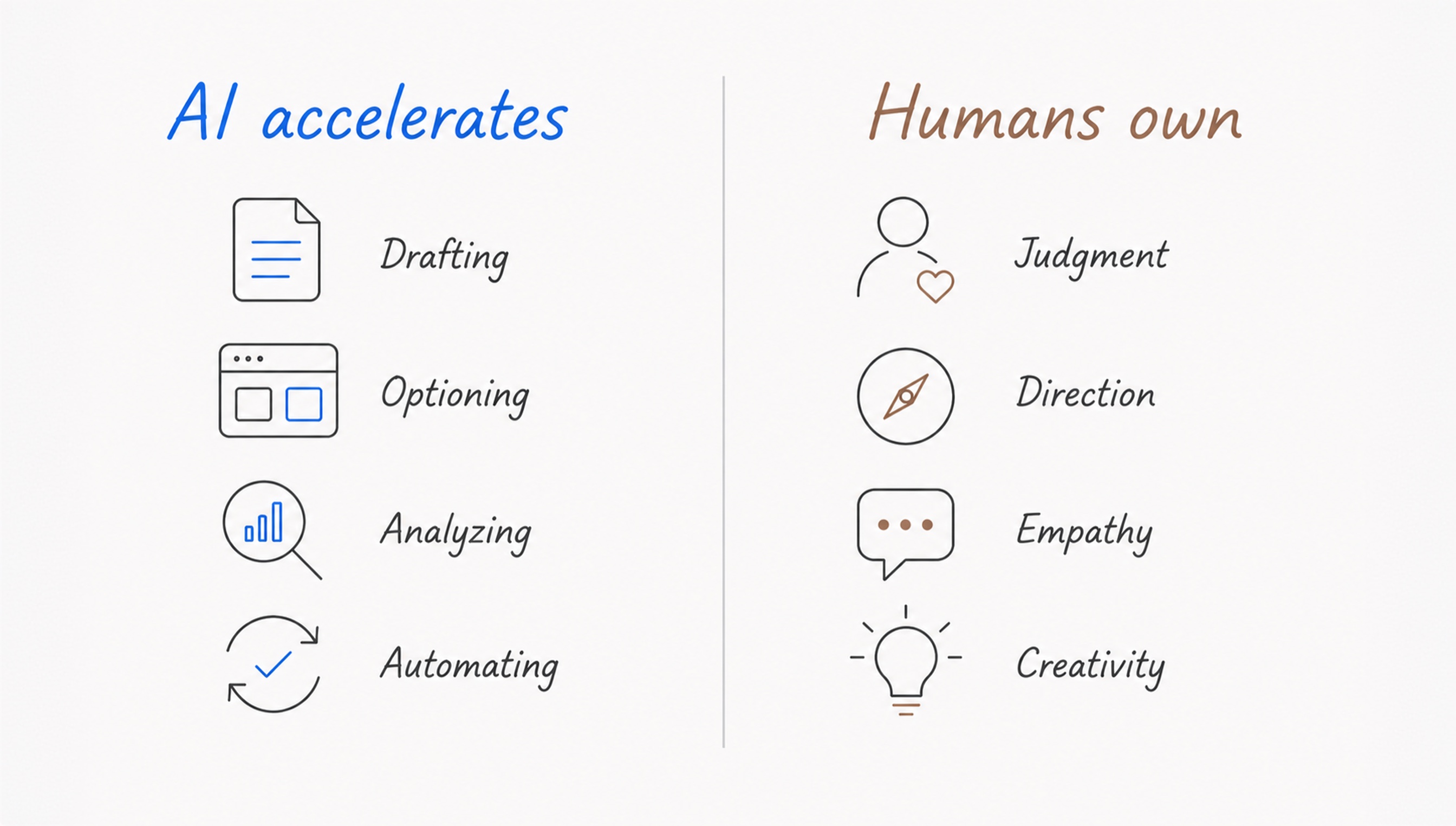
Thus, AI creates real leverage by giving designers more room to think. It takes on the parts of UX work that require speed and volume, while designers stay focused on interpretation, direction, and quality. This is the logic behind the AI-augmented design process: AI accelerates production, while people decide what is right.
What AI can’t do (and probably won’t soon)
AI becomes less reliable the closer the work gets to a real decision. While it can generate options quickly, the factors that create a strong user experience still depend on human ability. These include:
- Knowing what matters most. AI can suggest directions, but it does not fully understand your users, product constraints, business goals, or the trade-offs behind a decision.
- Telling polished from right. A screen can look clean and still fail the user. AI is good at producing something plausible, but plausible is not the same as useful, clear, or differentiated.
- Owning the outcome. When design affects conversion, retention, trust, accessibility, or revenue, someone has to explain why it was chosen and take responsibility for the result.
- Framing truly new problems. AI works from patterns that already exist, while ambiguous briefs, new markets, and first-of-their-kind products still need human interpretation.
This is why AI-only design often stops at fast, polished mediocrity. The work may look finished, but without human framing behind it, it rarely becomes something a serious product can rely on.
How the UX role is actually changing
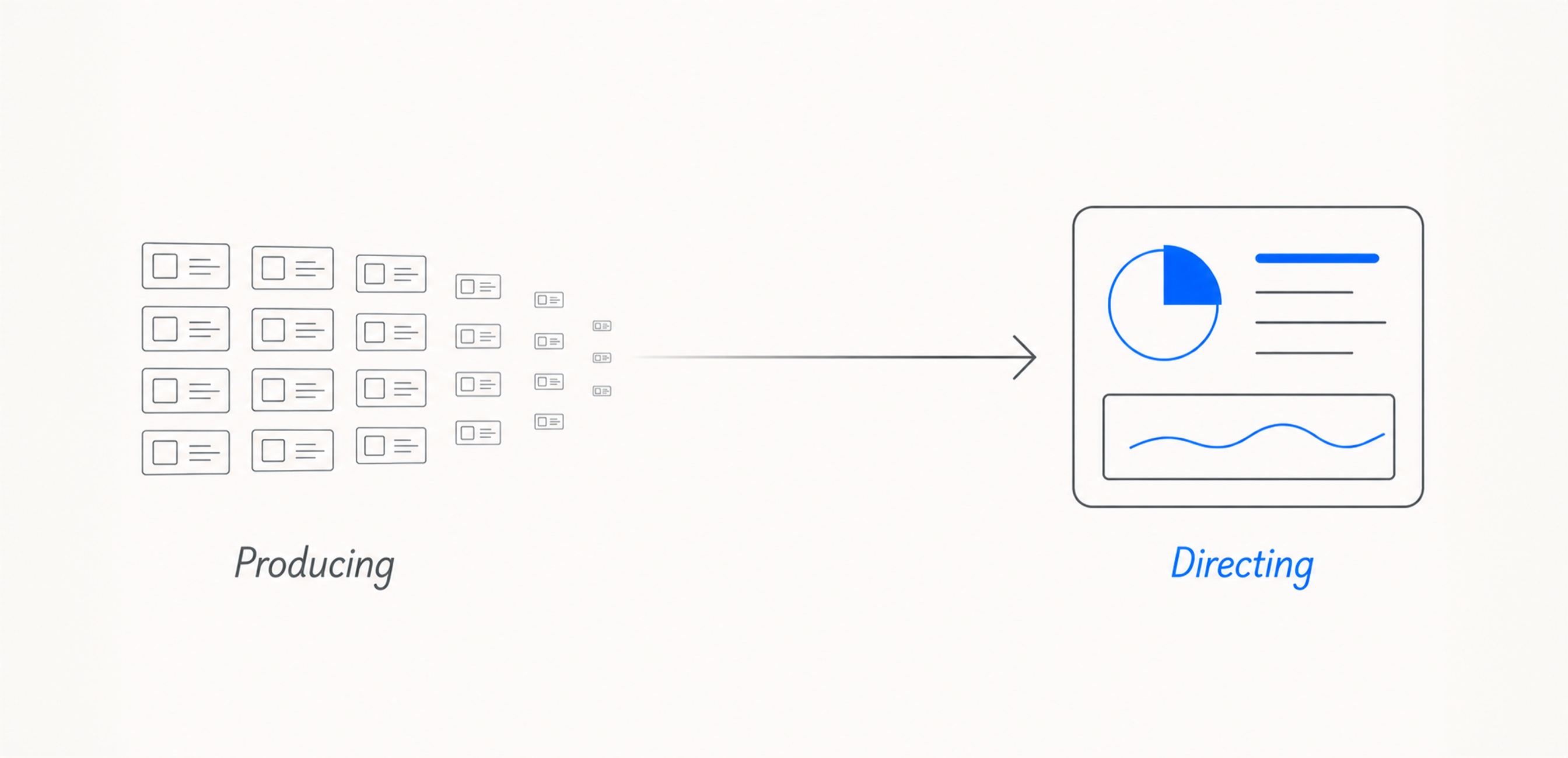
The UX role is becoming less about creating every artifact from scratch and more about shaping the path from input to outcome. Designers still explore, prototype, and refine, but the center of the job is shifting. When AI can quickly produce research summaries, layout options, interface copy, and edge states, the designer’s responsibility moves upstream and downstream at the same time.
Upstream, the work starts with clearer framing: defining the problem, setting the constraints, and deciding what the team should even ask AI to help with. Downstream, it becomes more about selection and refinement: reviewing a larger volume of output, spotting what is generic or misleading, and turning the strongest pieces into a coherent product experience.
This changes what “good” looks like in practice. A strong UX designer is no longer just someone who can execute a clean flow, but someone who can guide a faster, messier, more option-heavy process without losing the thread. The role is not disappearing. It is becoming more demanding, because speed only helps when someone can turn it into direction.
How designing with AI actually flows
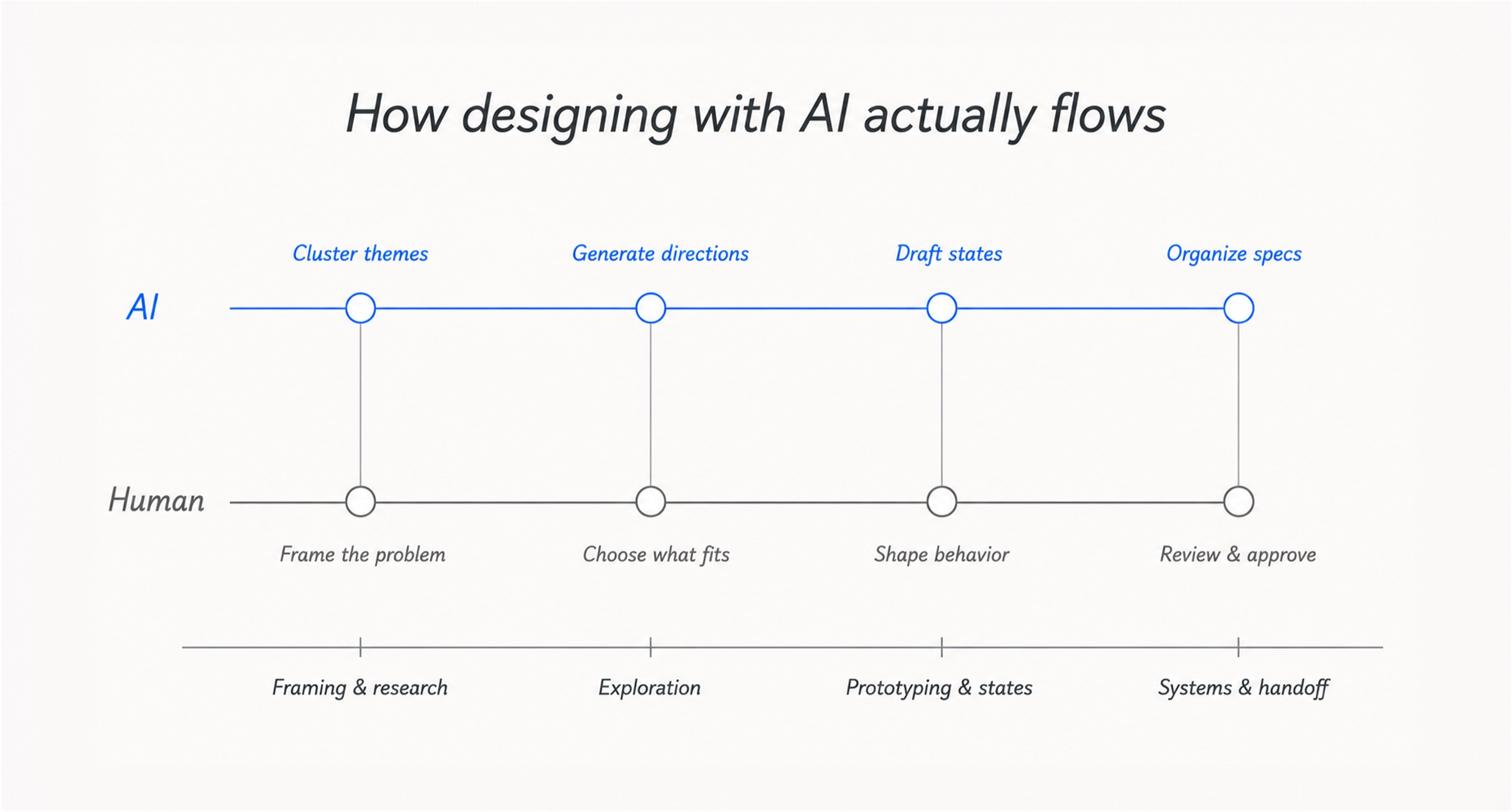
The shift becomes easier to understand when you look at how the work actually flows. On an AI-augmented team, the process is not “prompt, generate, ship.” It is a faster cycle of framing, exploring, editing, and deciding, with a designer guiding each step.
Framing and research
A designer starts with a mix of inputs: user interviews, support tickets, survey responses, and analytics. AI helps cluster the material into themes quickly, but the important work comes after that. The designer separates signal from noise, decides which patterns matter, and turns the findings into a clear design question for the next round.
Exploration
With the problem framed, AI helps generate a wider set of flows, layouts, and concepts than the designer could produce manually in the same time. Most directions are rejected quickly because they do not fit the product, the user need, or the business context. A few stronger ideas move forward and get refined by hand.
Prototyping and states
The chosen direction becomes a prototype faster, including empty states, errors, edge cases, and copy variations that often get rushed under deadline. AI can draft the repetitive parts, but the designer shapes how the product should behave when something is unclear, missing, or goes wrong.
Systems and handoff
New components, specs, and notes are prepared for the design system and engineering handoff. AI can help keep the documentation organized, but the designer reviews what enters the system, checks consistency, and signs off on what is ready to build.
The AI tools designers actually use
The specific apps change quickly, so it is more useful to think in categories than brand names. In an AI-augmented workflow, designers usually combine tools that help them move faster through research, exploration, prototyping, content, and systems work. In practice, that stack often covers five areas:
- Research and synthesis: AI can summarize user interviews, support tickets, survey answers, reviews, and analytics notes into early themes. For example, a designer can use it to group repeated complaints about onboarding, highlight friction points, or compare what users say in interviews with what support tickets reveal. The output still needs review, but it helps the team get to the important patterns faster.
- Exploration and ideation: Generative UI, image, and concepting tools help designers test more directions before committing to one. They can be used to explore different dashboard structures, onboarding flows, landing-page layouts, visual moods, or empty-state concepts. Most ideas will not be final, but they widen the starting point and make early exploration less limited by time.
- Prototyping: AI-assisted prototyping and code-generation tools can help turn static ideas into clickable flows sooner. This is useful for testing transitions, form logic, multi-step flows, or basic product interactions before investing too much time in high-fidelity design. The goal is not to skip design craft, but to understand faster whether the flow works.
- Interface content: Language models are useful for drafting microcopy, onboarding text, tooltips, empty states, error messages, confirmation messages, and edge-case copy. For example, AI can quickly produce five versions of an error message with different levels of clarity or tone. The designer then chooses and edits the one that best fits the product voice and user situation.
- Design systems: AI can support the less visible work behind scalable design: component descriptions, usage guidelines, naming conventions, handoff notes, and documentation updates. For growing products, this helps keep systems easier to maintain, especially when new patterns, states, or components are added frequently.
What this means for designers’ careers
AI is changing where value sits inside the UX role. It will not affect every designer in the same way, because the risk depends on where a designer’s value currently sits. Below, we examine how different levels and types of designers are likely to experience the shift.
Execution alone is no longer enough
Designers whose work is mostly execution are the most exposed. If the role is mainly about following handed-down specs, creating screen variations, or filling in routine states, AI can now compress much of that work. This does not mean execution stops mattering, but it does mean execution alone is becoming a weaker career advantage.
Juniors move into decisions sooner
The junior path is also changing. In the past, many designers built their skills through years of routine production before taking on more strategic decisions. AI shortens that stage. New designers may be able to contribute faster, but they will also need to learn earlier how to question output, explain choices, and understand why one direction is stronger than another.
Mid-level designers gain leverage
For mid-level designers, AI can become an accelerator if they use it to guide the workflow rather than simply generate more options. The advantage comes from knowing how to brief the tool, filter what it produces, and turn early output into stronger product thinking.
Senior judgment carries more weight
When polished concepts are easy to create, senior judgment becomes harder to replace. The valuable skill is not producing the most options, but knowing which direction fits the product, the users, and the business. Senior designers are still needed to critique, prioritize, and take responsibility for the final recommendation.
Specialist depth still wins
Deep expertise also remains valuable. Research, accessibility, motion, design systems, and domain-specific product knowledge all depend on experience that AI can support, but not fully replicate. The more specific and context-rich the expertise, the more useful AI becomes as a multiplier rather than a replacement.
What it means for teams hiring design help
For teams looking to hire design support, the question is not whether the work will be done by a human or AI. Serious product design involves both. A more important question is whether an experienced designer is directing the process, reviewing the output, and making the final decisions.
This is what distinguishes AI-augmented design from AI-generated noise. A good partner should be able to explain where AI fits into the workflow, which tasks are performed by humans, and how quality is controlled before anything reaches your product. Ask about the time savings, the reviewers, and the benefits you will gain from the model, such as faster cycles, broader exploration, stronger iteration, or lower cost per decision.
The right answer shouldn’t remove designers from the process. Rather, it should provide them with more time to think, test, and refine. This distinguishes work that is merely faster from work that improves because it is faster. For a more detailed explanation, see our guide to AI-augmented vs. traditional design agencies.
The future of UX still needs designers
If there is one thing to take away, it is this: AI is not the end of UX design, but it is changing where design value comes from. As tools make it easier to generate screens, flows, and copy, the most valuable work becomes harder to automate — defining the right problem, selecting the right approach, and owning the outcome.
The strongest designers won’t be those who avoid AI or rely on it blindly. Rather, they will be the ones who know how to leverage AI while keeping human judgment at the center of the process.
FAQ
Will AI replace UX designers?
No. AI can automate or accelerate parts of UX work, such as research synthesis, exploration, production, and documentation. But it does not replace the designer’s ability to understand context, make decisions, judge quality, and take responsibility for what ships.
Will AI take entry-level design jobs?
It will change them. Routine production work is becoming faster and easier to automate, which means junior designers may be expected to work with AI earlier, edit output more critically, and build judgment sooner in their careers.
Should designers learn to use AI?
Yes. AI is becoming part of modern UX workflows, and designers who know how to use it well will have a clear advantage. The goal is not to rely on AI blindly, but to use it as leverage for research, exploration, prototyping, content, and systems work.
Does AI-assisted design lower quality?
Not when it is guided properly. AI can lower quality if teams treat its output as final, but it can improve the process when experienced designers use it to explore more directions, test ideas faster, and refine the strongest options. Quality still depends on human review.
What UX skills matter most now?
Problem framing, product thinking, user empathy, business understanding, taste, critique, and the ability to edit AI output. As production speeds up, the most valuable skills are those that help designers choose the right direction and explain why it works.
Can AI do user research on its own?
AI can help synthesize interviews, support tickets, surveys, and analytics, but it cannot replace research strategy or human interpretation. It can surface patterns, while designers still need to decide what those patterns mean and how they should shape the product.
Which AI tools should a UX designer learn first?
Start with a strong language model for research, writing, and synthesis, then add one tool for UI exploration or prototyping. The exact brand matters less than learning when to use AI, how to brief it, and how to judge the output critically.
Is “AI-augmented” just a buzzword?
It can be, if it is used only as a marketing label. In a real AI-augmented workflow, there is a clear split between what AI helps produce and what humans decide, with experienced designers reviewing, refining, and owning the final work.